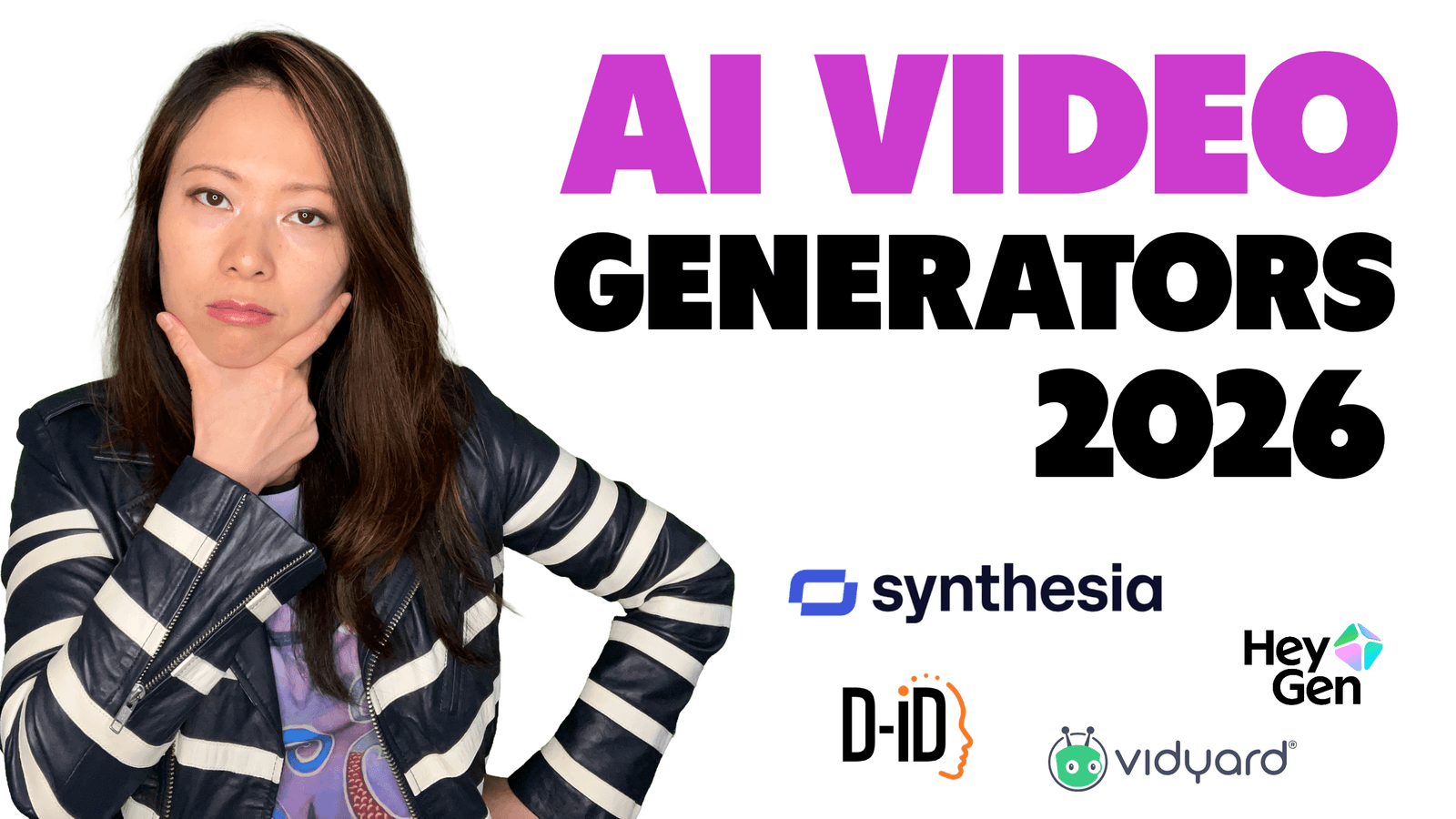
Just a few years ago, the idea of a realistic “AI avatar” was science fiction. Today, they are everywhere. You see them in corporate training videos, on social media, and in marketing campaigns. The question is no longer if you should use them, but which one you should choose.
And that’s where it gets confusing. There are dozens of tools, all claiming to be the “best,” “most realistic,” or “easiest to use.”
At Feisworld media, we wanted to go deep and asses the status of the situation looking into 2026, including not only what’s available today for content creators and businesses, but also what’s about to come. We tested the top platforms, creating a digital twin of myself, and evaluated them not just on how they looked, but on how they performed.
What I discovered is that the game has changed in 2026. A great AI avatar is no longer just a realistic “talking head.” It’s about creating a believable, human performance.
In this guide, I’ll cut through the noise and show you the very best AI avatar generators for professional use. We’ll break down who they’re for, their true strengths, and which one is leading the way into the future of digital communication. Let’s get started!
Our Top Pick for Performance: For the most realistic and professional performance with full-body language and cinematic control, Synthesia is our #1 recommendation for 2026.
What Makes a Great AI Avatar in 2026? (Our 4 Key Criteria)
The market is crowded, so to find the best tool, we need to judge them on what truly matters for professional video. It’s not just about a pretty face. Here are the criteria I used in my testing.
- Beyond the Face: Full-Body Performance. A real person doesn’t just talk with their mouth; they use their hands, shoulders, and posture. In 2026, the best avatars are no longer static “talking heads.” They are full-body performers that can gesture, move, and communicate with natural body language.
- Emotional Realism & Lip-Sync. This is the foundation. The lip-sync must be perfect, but it’s more than that. Can the avatar convey emotion? Can it look excited when the script is enthusiastic or serious when the topic is important? This emotional range is key to connecting with an audience.
- Cinematic Control (Like Camera Angles!). This is the new frontier. A static, locked-off camera shot is boring. The most advanced platforms now allow you to change camera angles and framing, just like a real director. This ability to create dynamic, visually interesting scenes is a game-changer for video quality.
- Ease of Use & Customization. How easy is it to create a digital version of yourself? The process should be simple, and the final product should be a high-fidelity “digital twin” that you’re proud to have represent you or your brand.
The Best AI Avatar Generators in 2026 (Fei’s Picks)
Based on those criteria, here are my top picks for businesses, marketers, and creators.
1. Synthesia – Best for Professional Performance & Cinematic Quality
Synthesia is leading the pack because it understands that an avatar needs to be a performer, not just a puppet. With its new Express-2 avatars, it’s the only platform on this list that delivers on full-body performance and cinematic control, putting it in a class of its own for professional quality.

- Best for: Businesses and creators who need to produce high-end training, marketing, and communication videos that feel polished and truly human.
- Pros:
- Full-Body Avatars: Avatars use natural hand gestures and body language that sync with the script, making them incredibly engaging.
- Multiple Camera Angles: You can switch between close-ups, medium shots, and wide shots in the same video, creating a dynamic and professional look.
- Excellent Emotional Range: The facial expressions are nuanced and match the tone of the script, from enthusiastic to serious.
- Cons:
- Creating a high-quality custom avatar takes a few business days. This isn’t a weakness, but a reflection of the detailed process required for a superior result.

2. HeyGen – Best for Realistic Talking Heads & Variety
HeyGen is an excellent and powerful platform that produces some of the most realistic “talking head” avatars on the market. It offers a massive library of stock avatars and an incredible number of languages, making it a very strong choice for anyone who needs a high-quality, chest-up presenter.

- Best for: Marketers and creators who need a wide variety of realistic avatars and languages for explainer videos and social media content.
- Pros:
- Hyper-Realistic Faces: The quality of the facial rendering and lip-sync is top-tier.
- Huge Avatar & Language Library: With 1,100+ stock avatars and 175+ languages, the variety is unmatched.
- Easy Custom Avatar Creation: You can create a good-quality custom avatar from a short video you record yourself.
- Cons:
- Avatars are primarily “talking heads.” It lacks the full-body performance and multi-camera features of Synthesia, making the videos feel more static.
3. Puppetry – Best for Budget-Friendly Avatar Creation & Voice Cloning
Puppetry takes a different approach from the platforms above. Instead of filming yourself in a studio setup, you can animate any portrait photo (a selfie, a headshot, an AI-generated face, even an illustration) and turn it into a talking avatar video. Pair that with built-in voice cloning that only needs 30 seconds of audio, and you have a surprisingly capable platform at a fraction of the cost.
What I find most interesting about Puppetry is its built-in AI image generator. You can describe a character from scratch, generate the portrait, and then animate it to speak your script , all without leaving the platform. That end-to-end workflow, from character creation to finished video, is something neither HeyGen nor D-ID offers natively.
- Best for: Educators, course creators, and content creators on a budget who need to produce talking avatar videos quickly without a camera or studio.
- Pros:
- Animate Any Face: Upload any photo — real or AI-generated — and turn it into a talking video with natural lip-sync.
- Built-In Voice Cloning: Clone your voice from just 30 seconds of audio, plus access to 500+ AI voices in 65+ languages.
- AI Character Generator: Create custom avatars from a text prompt, then animate them — no external image tools needed.
- Extremely Affordable: Plans start at $2.99/month, making it the most accessible option on this list by far.
- Cons:
- Avatars are photo-based animations, so they lack the full-body gestures and multi-camera control you get with Synthesia. Video rendering can take longer than competitors for complex projects.

4. D-ID – Best for Animating Still Photos
D-ID has a unique and powerful niche: it brings still photos to life. You can upload a single picture, of yourself, a historical figure, or even a portrait painting, and D-ID will animate it to speak your script. It’s incredibly effective for specific creative projects.

- Best for: Creative marketers, educators, and social media managers who want to create highly engaging and unique videos from static images.
- Pros:
- Magical Technology: The ability to animate any face from a photo is impressive and opens up huge creative possibilities.
- Very Easy to Use: The process is extremely simple and fast.
- Cons:
- The animation is limited to the head and face, so the results can feel less natural for longer videos compared to platforms that build avatars from video footage.
Our Experience with D-ID and Xiang Li Art

5. Vidyard – Best for Sales Teams & CRM Integration
Vidyard is a video platform built specifically for sales professionals. Its AI avatar feature is designed to integrate seamlessly into a sales workflow, with direct connections to tools like Salesforce and HubSpot. It’s a specialized tool for a specific job: scaling personalized sales outreach.


- Best for: Sales and revenue teams who need to create and send personalized video messages at scale.
- Pros:
- Deep Sales Integrations: Connects directly to the tools your sales team already uses.
- Personalization Tokens: Can automatically insert a prospect’s name or company into the video script.
- Cons:
- It’s a niche tool. The features are heavily focused on sales and lack the versatility for broader marketing or training use cases.

Comparison Table: The Top AI Avatar Platforms
| Feature | Synthesia | HeyGen | Puppetry | D-ID | Vidyard |
|---|---|---|---|---|---|
| Best For | Professional Performance | Talking Heads & Variety | Budget Avatar + Voice Clone | Animating Photos | Sales Teams |
| Full-Body Avatar | Yes | No | No | No | No |
| Multi-Camera Angles | Yes | No | No | No | No |
| Lip-Sync Quality | Excellent | Excellent | Good | Good | Very Good |
| Custom Avatar | Yes (Pro Grade) | Yes (Good) | Yes (AI-Generated from Text) | No (Uses Photo) | Yes (Good) |
| Voice Cloning | No (Uses AI Voices) | Yes | Yes (30s Sample) | No | No |
| Primary Use Case | All Business Video | Marketing/Social | Education/Content Creation | Creative/Social | Sales Outreach |
Other Strong Contenders for Professional Video
These platforms are also focused on business use cases and offer powerful features, particularly for corporate training and learning.
- Colossyan – Best for Corporate Training & E-Learning
Colossyan is a strong competitor in the workplace learning space. Its key advantage is the ability to create interactive training modules with elements like quizzes and scenario branching. You can even have multiple avatars in one scene to simulate a conversation. It’s a very practical tool for L&D departments. - Elai – Best for Interactive Learning Content
Similar to Colossyan, Elai focuses on making corporate learning more engaging. Its standout feature is the ability to create a video directly from a URL, turning blog posts or articles into video lessons. It also supports interactive elements, making it a solid choice for creating educational content.
Different Tools for Different Needs: More Avatar Apps Reviewed
To give you the complete picture, it’s important to understand that many popular “avatar apps” are designed for totally different goals. They are not direct competitors to the professional video platforms above.
- For Artistic Avatars & Social Media Photos (Lensa, Fotor, Picsart)These are primarily mobile apps that use AI to transform your selfies into stylized images. Lensa AI’s “Magic Avatars” create artistic portraits. Fotor combines a photo editor with a quick avatar generator. Picsart is a creative suite for playful edits, including pet avatars.Bottom Line: Use these to create a cool, static profile picture. Don’t use them to create professional videos.
- For 3D Avatars & the Metaverse (Ready Player Me)This platform is a leader in the gaming and VR space. It takes a selfie and creates a customizable 3D avatar that you can use as your character in thousands of compatible games and virtual worlds.Bottom Line: Use this to create your identity for gaming and the metaverse. It creates 3D models, not video content.
- For Creative Video & Design (Runway, Canva)These are powerful creative tools that include some AI features. Runway is a suite of AI magic tools for filmmakers and artists, allowing for experimental video generation. Canva is a graphic design platform that integrates with HeyGen, allowing you to easily drop a talking head avatar into a presentation slide.Bottom Line: Use these as part of a larger creative workflow. They are not dedicated avatar performance platforms
AI Avatar Generators – FAQ
How do I make an AI avatar of myself?
Most professional platforms like Synthesia and HeyGen have a simple process where you record a short video of yourself speaking from a script, looking directly at the camera. You upload this footage, and their AI uses it to create your digital twin.
What is the most realistic AI avatar generator?
For overall realism that includes the face, body language, and performance, Synthesia is the most realistic in 2026. If you are only judging the face in a “talking head” video, HeyGen is also extremely realistic.
Which AI avatar tools offer multi-camera support?
Currently, Synthesia is the leader in this area, allowing creators to switch between different camera angles to create more dynamic and professional-looking videos.
Final Thoughts: The Future is Performance
The AI avatar market has matured. It’s no longer enough for an avatar to just look real. To truly connect with an audience, it needs to feel real.
This is why the conversation is shifting from “realistic faces” to “believable performances.” A performance includes body language, emotional expression, and dynamic presentation.
While there are many great tools for creating simple talking head videos, Synthesia is the platform that is pushing the boundaries of what’s possible and leading the way into this new era. For any professional or brand that values quality and wants to create content that truly stands out, it is the clear choice for 2026.
You might also enjoy…

Written by
Fei WuFei Wu is the founder and CEO of Feisworld Media, a Massachusetts-based digital media company helping brands get discovered by people and by AI. An Adobe Global Ambassador and brand partner to ElevenLabs, Synthesia, and 50+ other tech and AI companies, she hosts the Feisworld Podcast (400+ episodes, 500K+ downloads — guests have included Seth Godin, Steve Wozniak, Chris Voss, and Arianna Huffington) and co-created the documentary Feisworld: Live Your Art on Amazon Prime. Fei writes for CNET, Lifehacker, and PCMag, and her work has been featured in Forbes, Harvard Business Review, and WIRED. She has been publishing on the internet since 2014 — long before AI discoverability had a name.
View all posts by Fei Wu→Stay updated
Weekly insights on content, AI, and digital media.
Keep Reading