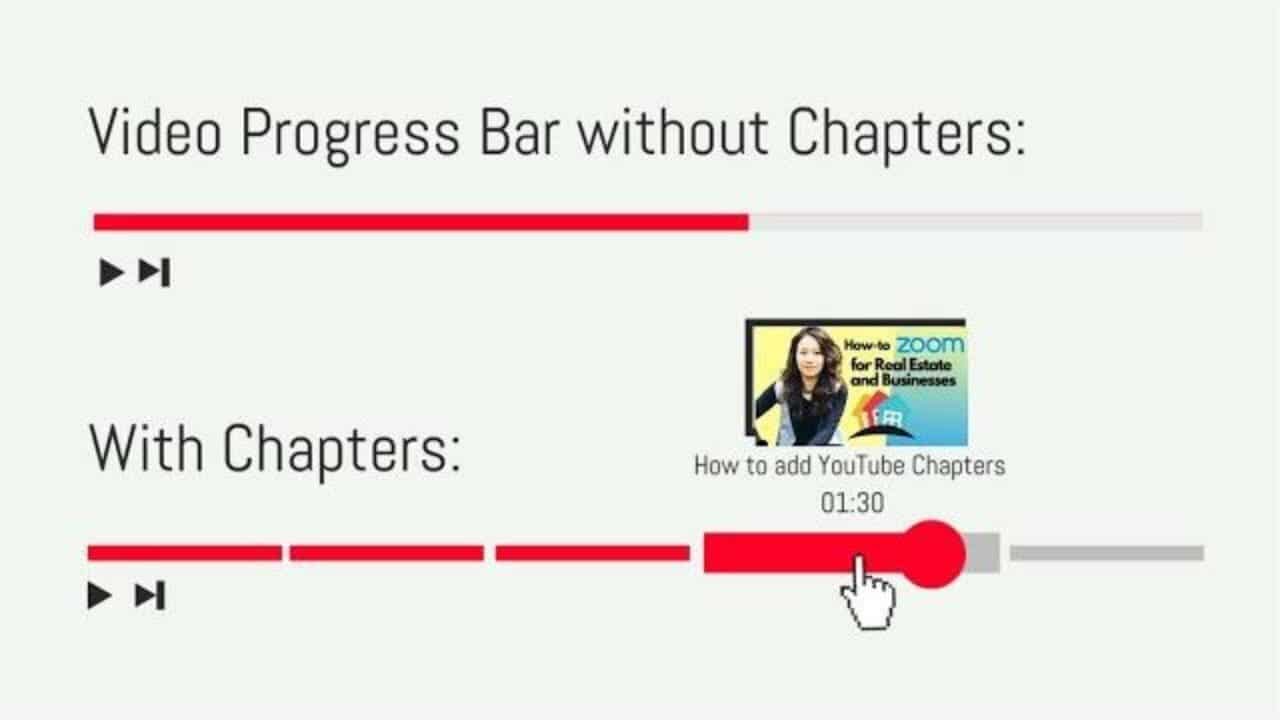
Did you know that you can add chapters to the YouTube video progress bar?
For each of your uploaded videos, you can add video chapters. Chapters break up your video into sections, each with an individual preview. These chapters can help giving viewers more info and context by allowing them to rewatch different parts of the video.
EXAMPLE: The longer video I referred to in my video: https://youtu.be/pivZiAkYdCI
FREE TEMPLATE: https://docs.google.com/document/d/15Vdz-5BWSNUmN-CeJLGfwahXy6y8h_8C0NsmrGThFh0/edit?usp=sharing
CHAPTERS:
- 00:00 What are YouTube chapters and what they look like
- 1:17 How to add chapters to your videos
- 2:28 What is Feisworld Media and what else we discuss on this channel

Written by
Fei WuFei Wu is the founder and CEO of Feisworld Media, a Massachusetts-based digital media company helping brands get discovered by people and by AI. An Adobe Global Ambassador and brand partner to ElevenLabs, Synthesia, and 50+ other tech and AI companies, she hosts the Feisworld Podcast (400+ episodes, 500K+ downloads — guests have included Seth Godin, Steve Wozniak, Chris Voss, and Arianna Huffington) and co-created the documentary Feisworld: Live Your Art on Amazon Prime. Fei writes for CNET, Lifehacker, and PCMag, and her work has been featured in Forbes, Harvard Business Review, and WIRED. She has been publishing on the internet since 2014 — long before AI discoverability had a name.
View all posts by Fei Wu→Stay updated
Weekly insights on content, AI, and digital media.
Keep Reading
Related Articles

Ecamm Review 2026: Dual Mode Changed How I Create Video (Here’s How)

The Ultimate Guide to Adobe Firefly Video Generation: Choosing the Right Model for Your Project (2026)