Have you already tried to create a Podcast in YouTube Studio? I’m loving this initiative already! Back in 2022, YouTube announced big changes for podcasters. As we run the Feisworld Podcast since 2016, we are always eager to try out these changes. Most often they simplify our ways of working and give us more insights about our audience and the content we could create.
This was the announcement from YouTube Podcasts
Testing the ability to create and measure podcasts in Studio:
To make it easier for creators to distribute their podcasts on YouTube, we’re running an experiment that allows you to create a podcast or set an existing playlist as a podcast within Studio.
If you’re a creator in the experiment, you’ll be able to
- Upload a podcast by selecting Create > New podcast
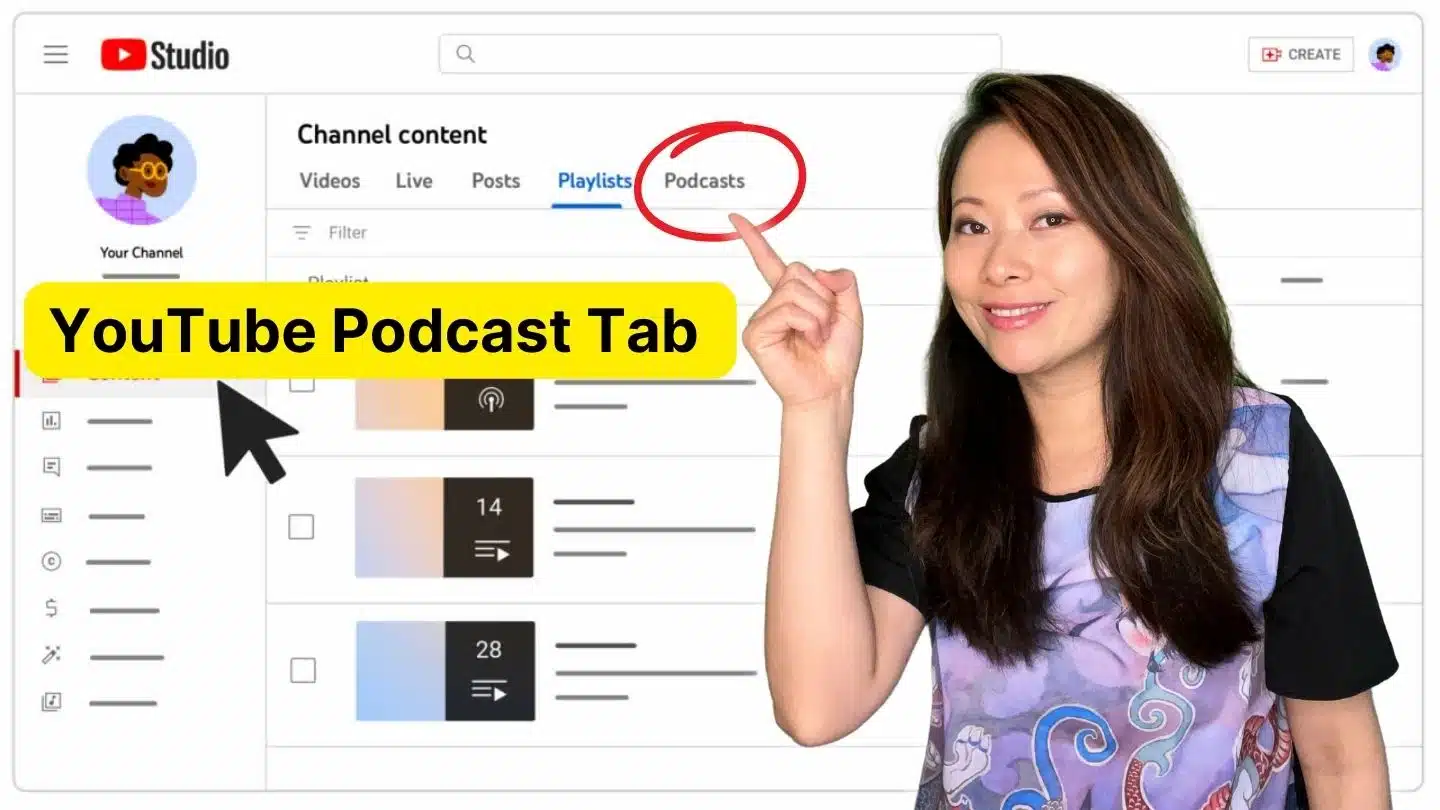
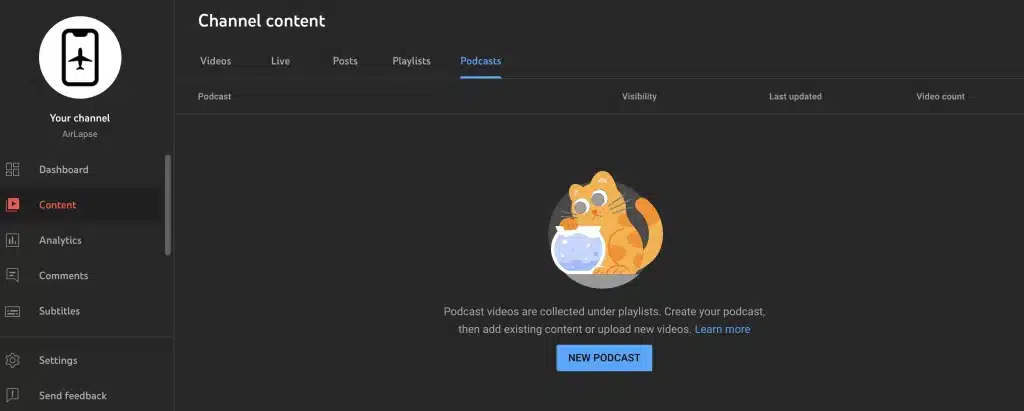
- View all your podcasts in the Content menu under a new Podcasts tab
- Mark existing playlists as podcasts by selecting three dot menu > Set as podcast.
You’ll also be able to measure your podcasts in analytics, where you’ll see a set of tabs with performance, audience and revenue insights for each podcast show. This experiment will impact a small number of creators globally on YouTube Studio on desktop.
We are already seeing these features on some of our client’s Channels, let’s have a look at the YouTube Studio of our partner travel channel AirLapse.
How To Create a Podcast in YouTube Studio (Step-by-step)
1. Within YouTube Studio, click Create > New podcast
2. Enter your podcast details, including Podcast title, Description, Visibility (Public or Private), and a Square podcast thumbnail
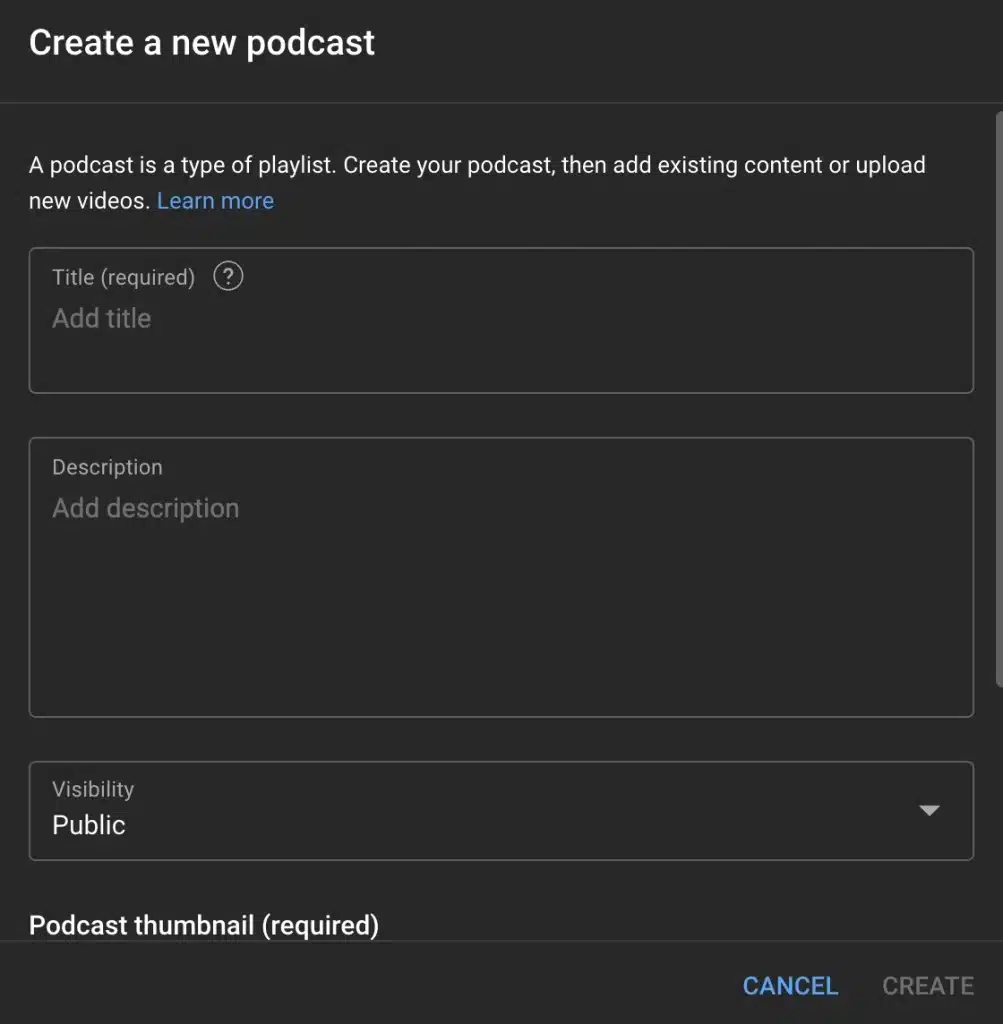
3. Click Create to save
From the Podcasts tab, select your podcast. Click Upload video and enter the video details. Select your podcast in the Playlist menu to add the video to your podcast
That’s it!
Video tutorial: YouTube Podcast Tab – Everything You Need to Know!
In this video, you’ll learn:
- Get started publishing podcasts on YouTube
- Updating an existing playlist to be a Podcast Playlist
- Moving playlists between regular vs. podcast playlist
- Sorting episodes/videos within a podcast playlist
- Podcast analytics on YouTube
- Best practices and repurposing long-form content to shorts
Resources mentioned:
- PodIntelligence (AI-powered, automated micro content creators) https://www.podintelligence.com/
- Repurpose audio podcasts to be videos. Check out Repurpose.
Some things to keep in mind
- If an episode of your podcast violates our copyright policies, your content may not be eligible for podcast features. Learn more about fair use and copyrighted content on YouTube.
- Podcast videos are available for audio-only playback. To turn off audio-only playback for a video, you must remove it from all podcasts within your video settings.
Another cool feature is the possibility to deep dive into your podcast’s performance. YouTube new podcast analytics, which will provide podcast-specific performance insights.
- Open YouTube Studio.
- From the Analytics tab, click Overview.
- Select See Podcast Analytics.
Enjoy!
You might also enjoy…

Written by
Fei WuFei Wu is the founder and CEO of Feisworld Media, a Massachusetts-based digital media company helping brands get discovered by people and by AI. An Adobe Global Ambassador and brand partner to ElevenLabs, Synthesia, and 50+ other tech and AI companies, she hosts the Feisworld Podcast (400+ episodes, 500K+ downloads — guests have included Seth Godin, Steve Wozniak, Chris Voss, and Arianna Huffington) and co-created the documentary Feisworld: Live Your Art on Amazon Prime. Fei writes for CNET, Lifehacker, and PCMag, and her work has been featured in Forbes, Harvard Business Review, and WIRED. She has been publishing on the internet since 2014 — long before AI discoverability had a name.
View all posts by Fei Wu→Stay updated
Weekly insights on content, AI, and digital media.
Keep Reading
Related Articles
Ecamm Review 2026: Dual Mode Changed How I Create Video (Here’s How)
The Ultimate Guide to Adobe Firefly Video Generation: Choosing the Right Model for Your Project (2026)