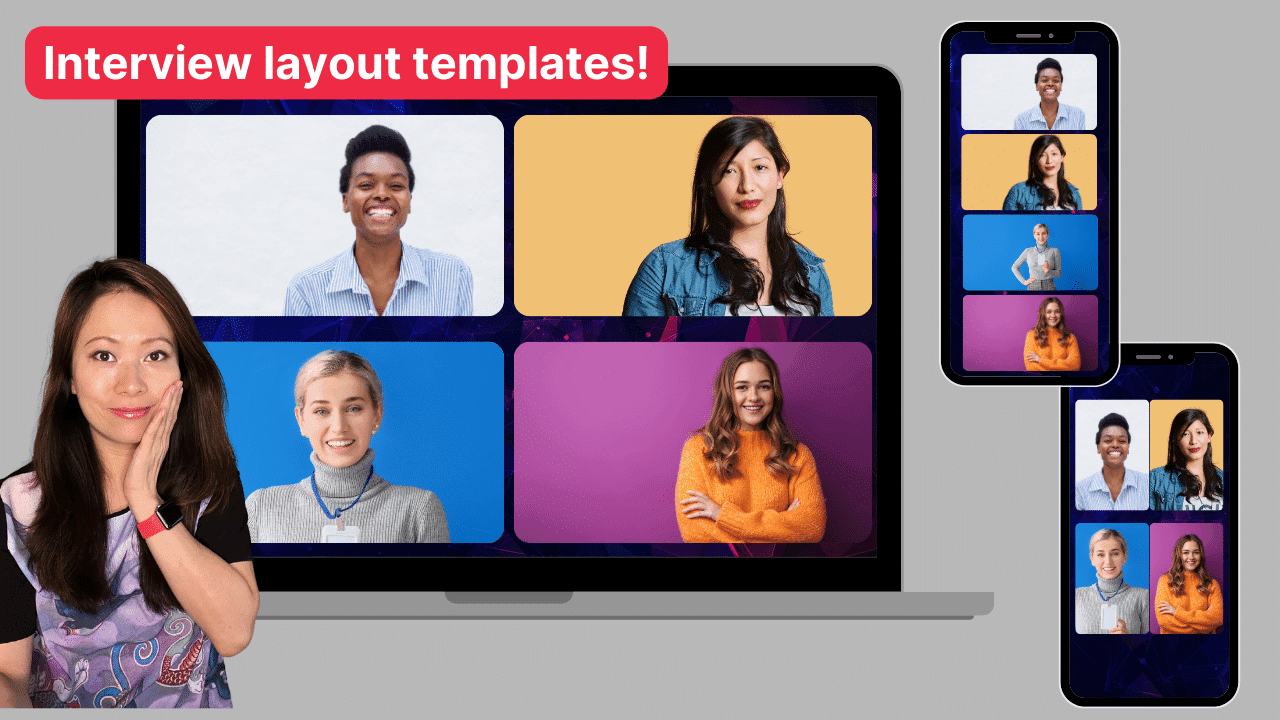
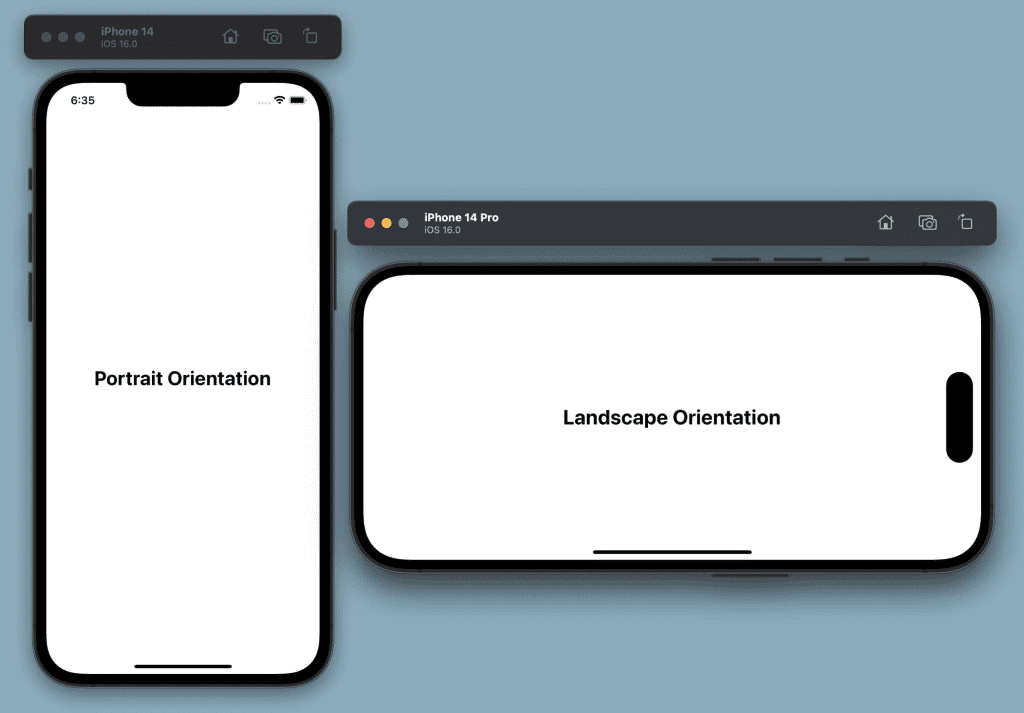
Here’s a vertical interview video template that will save you headaches. Most traditional media (TV, films), as well as most YouTube videos, use a landscape aspect ratio 16:9. However, social media platforms such as Instagram reels, TikTok, and more recently, YouTube Shorts require portrait (9:16) aspect ratios for publishing content to their platforms.
If you are a podcaster or a livestreamer who is focused on interview content AND you want to repurpose your regular landscape interview videos to be on those social platforms, you will want to know how to edit them to fit square and portrait aspect ratios.
In this article, we will share a variety of interview video templates with you to tackle your editing and repurposing effort for interview videos with two or more people.
Hint: the layout gets a little more complicated when you have more than two people on screen.
Interview Video Template
For the purpose of this discussion, we are going to focus on the most popular aspect ratios – Landscape (16:9) and Vertical (9:16).
Please note
For each landscape and vertical video template, there could be multiple variations. What looks good to you is worth experimenting with – even if it’s outside of our template or anything you’ve seen before. I believe the way we create video content for social media has become more limitless and imaginative.
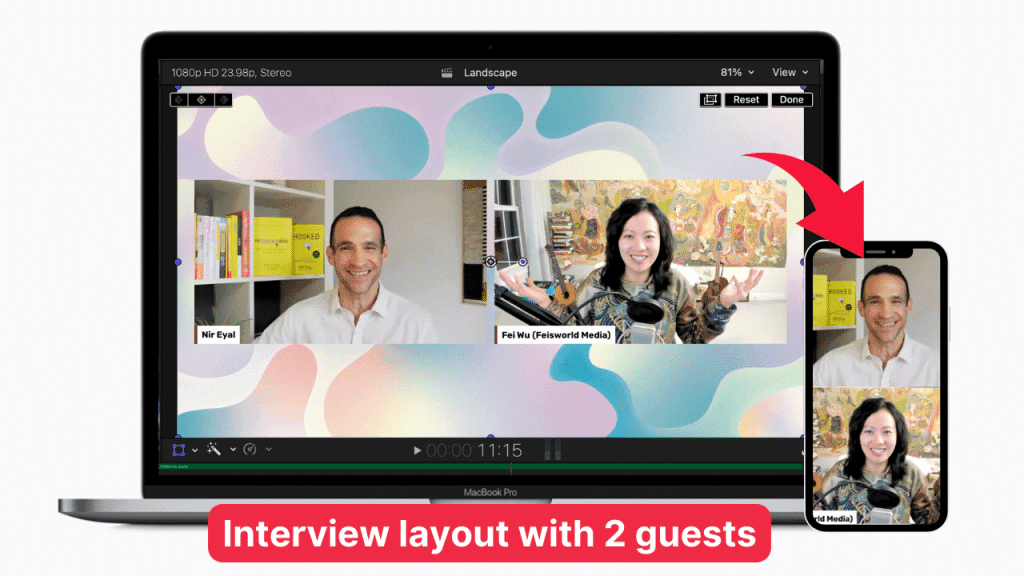
2-person interview video template
The 2-person interview video template is most frequently used on social media. Restream and similar live stream tools allow you to record landscape videos using a few different templates. I’m showing one that has an abstract background with two guests also appearing in landscape videos. To convert this video into a portrait layout is rather straightforward: simply stack the two videos.
Alternatively, you are certainly welcome to edit the portrait video showing only one speaker at a time, or alternating cuts between the host and the guest.
3-person interview video template
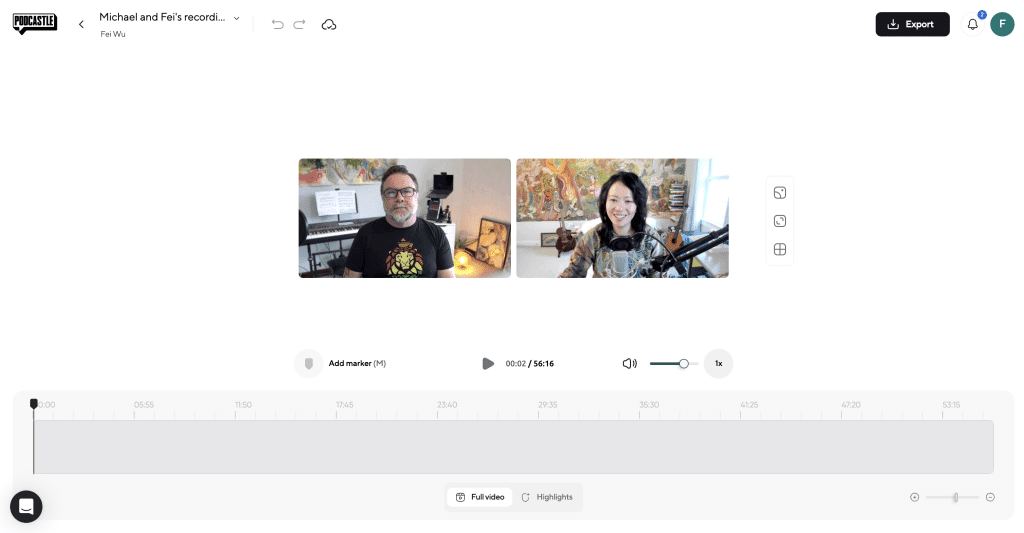
The 3-person interview video template gets a little more complicated. Tools such as Podcastle and Riverside not only allow you to record interview videos in high-def (up to 4K and studio-sound quality), but they also let you choose your layout for multi-person recordings and exports, such as the example shown below.
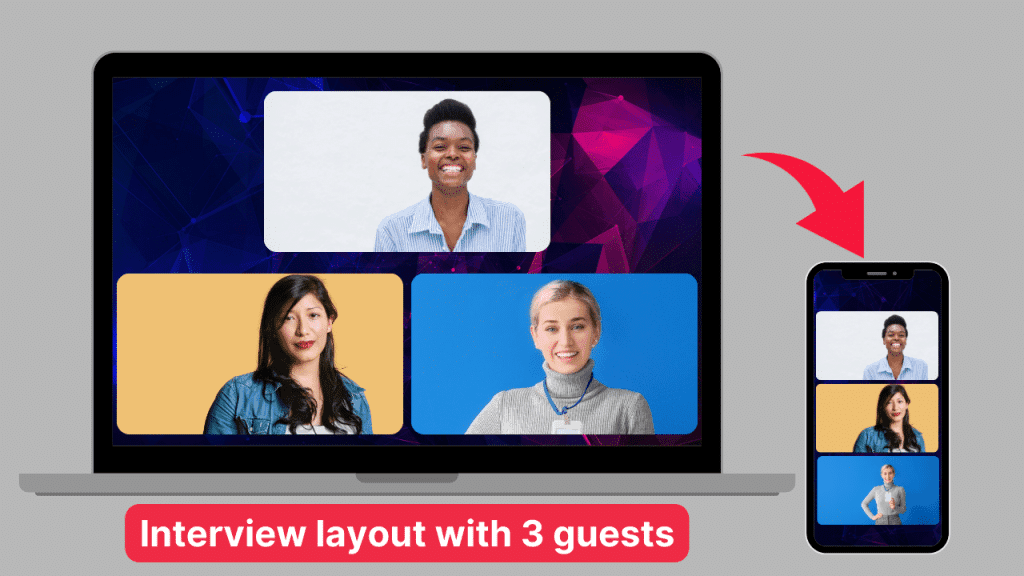
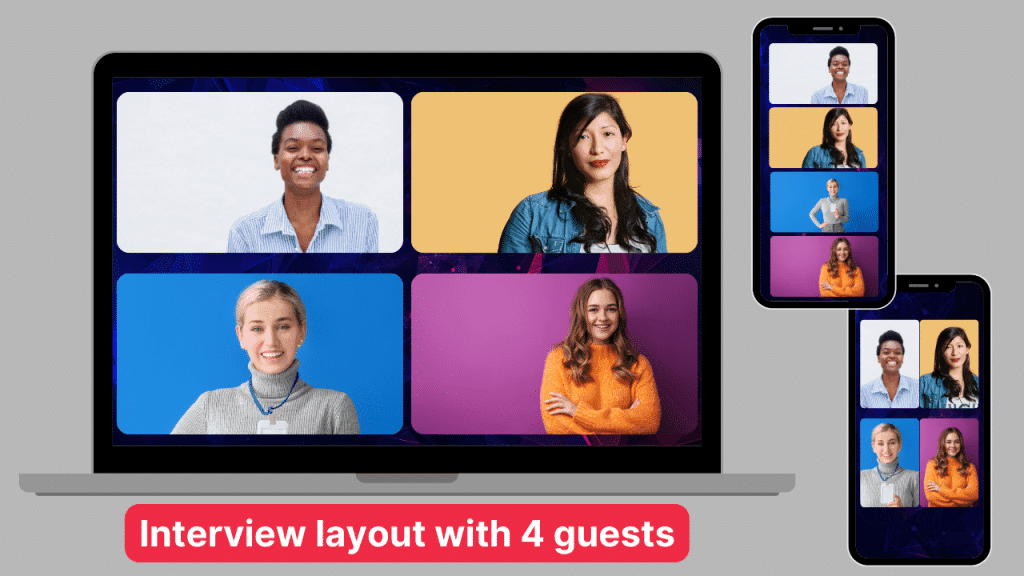
4-person interview video template
4-person or more interview recordings happen less often, but it’s just as important to understand how you can edit these videos for social media. For the 4-person view, I have included the gallery view as well as the stacked view for your consideration.
Editing apps that can save you significant time
1. Riverside
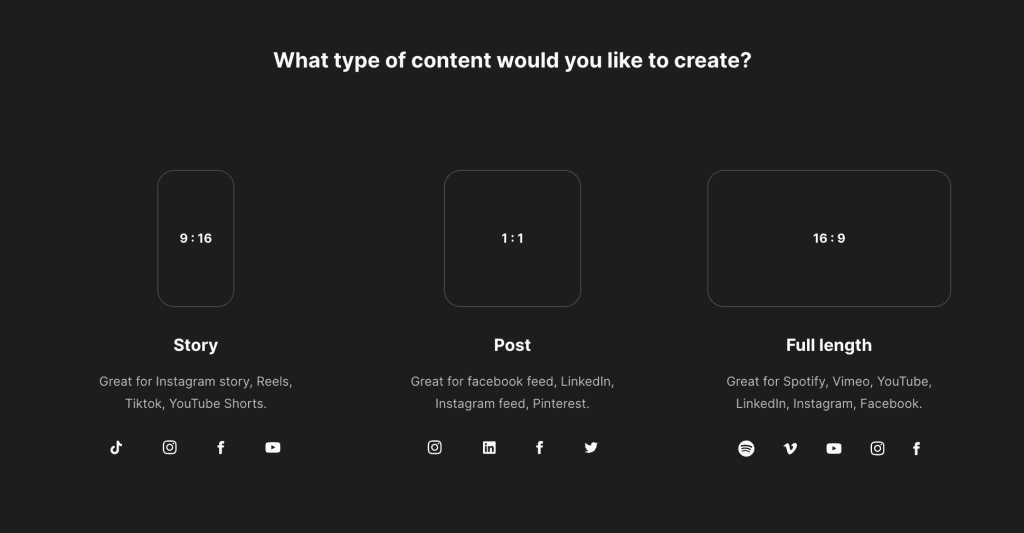
Inside Riverside and once a recording is completed, the app allows you to re-edit the landscape video directly into multiple aspect ratios with one click. This is my favorite feature from Riverside that stands out from its competition.
2. Podcastle
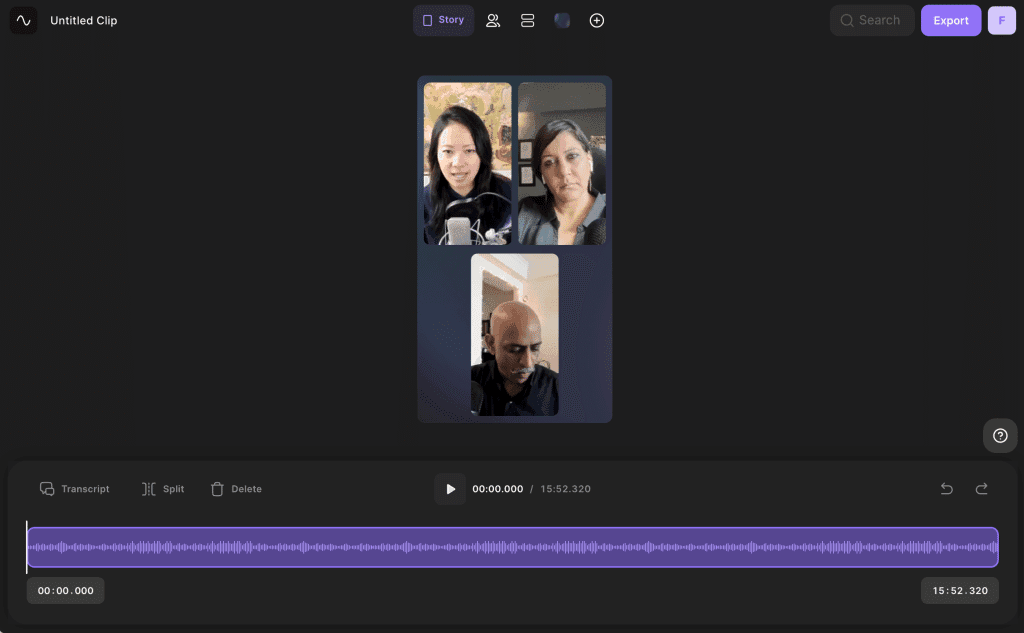
I have advocated for Podcastle for years. They are a wonderful company with a lovely group of people behind them. Podcastle has a 4K recording studio for video content. My clients love their layout and built-in editing features. Currently, Podcastle can’t automatically re-size the video into various social media templates. But with high-quality video recordings, you can do just about anything using a 3rd party app. Best Video Editors for YouTube Shorts (Top 4 Choices) [2023]
Conclusion
There are various formats you can learn and adapt for editing your interview videos. I like the math element behind how many permutations I can come up with in creating these templates. Ultimately, the decision is yours based on the destination platform, the context of the interview, and even the time and budget you have available to create social assets.
Please let me know in the comment below what else you’d like to learn about video production and editing for social media, repurposing your content, and growing your following.
Hey, have you checked out YouTube channel? There’s more free content there too.
You might also enjoy…
Topics

Written by
Fei WuFei Wu is the founder and CEO of Feisworld Media, a Massachusetts-based digital media company helping brands get discovered by people and by AI. An Adobe Global Ambassador and brand partner to ElevenLabs, Synthesia, and 50+ other tech and AI companies, she hosts the Feisworld Podcast (400+ episodes, 500K+ downloads — guests have included Seth Godin, Steve Wozniak, Chris Voss, and Arianna Huffington) and co-created the documentary Feisworld: Live Your Art on Amazon Prime. Fei writes for CNET, Lifehacker, and PCMag, and her work has been featured in Forbes, Harvard Business Review, and WIRED. She has been publishing on the internet since 2014 — long before AI discoverability had a name.
View all posts by Fei Wu→Stay updated
Weekly insights on content, AI, and digital media.
Keep Reading
Related Articles
Ecamm Review 2026: Dual Mode Changed How I Create Video (Here’s How)
The Ultimate Guide to Adobe Firefly Video Generation: Choosing the Right Model for Your Project (2026)