YouTube and Podcast SEO Workflow: How We Connected Video, Blog, and Search Data
I had YouTube Studio open in one tab, Search Console in another, and an old Feisworld post in the third. None of them was wrong. None of them was enough.
That was the problem I kept coming back to during the migration.
Feisworld is not only a blog. It has a podcast archive, a YouTube channel, tutorials, partner resources, brand stories, guides, and pages that have lived through more than one version of the site. Some of the strongest work Fei has done did not begin as a blog post. It began as a conversation, an interview, a tutorial, a keynote, a course, a video, or a question someone asked her after an event.
But those pieces do not always find each other.
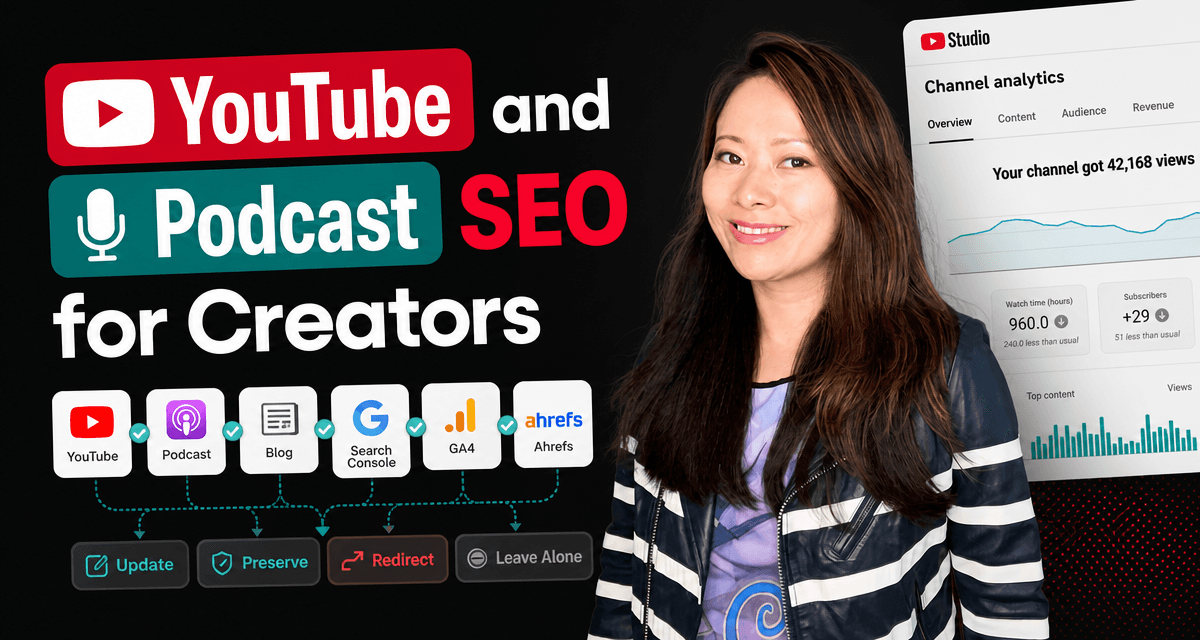
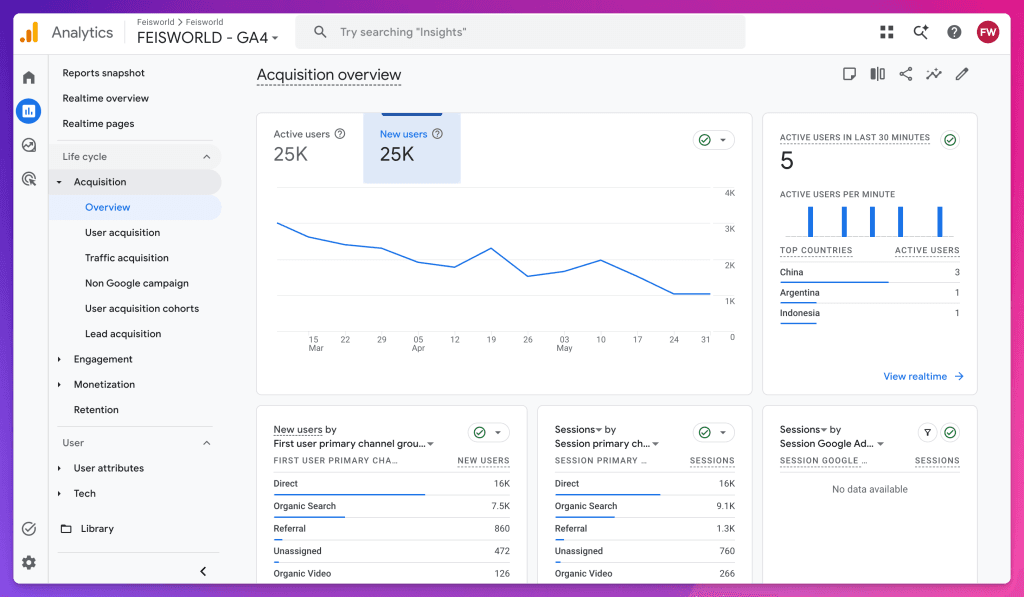
A YouTube video may keep getting views. A podcast episode may still carry the better explanation. A blog post may be the thing Google can actually send people to. A partner page may hold the current relationship. Search Console may show one angle, YouTube Studio another, GA4 another, and Ahrefs another. Each tool is telling the truth from its own corner, but nobody is telling the full editorial story.
That is why we built a more connected YouTube and podcast SEO workflow inside Feisworld Ops.
Not because we wanted another dashboard. I am allergic to dashboards that exist just to look responsible. We needed a way to see how video, podcast, blog, search, and partner signals worked together, then decide what deserved attention.
This is Article 6 in our Feisworld site migration series. In Article 1, I explained why the site had to become clearer for people, search, and AI tools. In Article 2, I showed why WordPress became the writing source while Ops, Turso, Next.js, and Vercel became the publishing system. In Article 3, I covered the AI-assisted content audit. In Article 4, I mapped which WordPress plugin jobs moved where. In Article 5, I explained why affiliate links became operational data.
This article is about the media layer: how we connected YouTube, podcast, blog SEO, and content monitoring so old work can keep helping the right people without turning Feisworld into a pile of disconnected assets.
The Short Version
We stopped treating the channel, the podcast, and the blog as separate archives. We built a workflow that connects their signals before deciding what to update, republish, leave alone, or retire.
That workflow pulls from places like Google Search Console, GA4, Ahrefs, YouTube data, WordPress post history, and our own editorial review. It gives us a better starting point than memory.
A video with momentum may suggest a blog update. A podcast episode may support a guide. A blog post with search impressions may need a better embedded video, a refreshed summary, or a clearer internal link. A declining page may not need panic. It may need nothing at all because the topic has naturally aged.
The key lesson is simple: traffic is not the same thing as editorial priority.
The Archive Was Stronger Than the System Around It
Fei has been running the Feisworld Podcast for years. The YouTube channel has grown into a serious part of the brand. The blog has tutorials, interviews, AI guides, partner stories, course resources, and practical articles that still get discovered long after they were first published.
That is why podcast SEO matters more than it sounds. A podcast episode is not only an audio file. It can be a discoverable page, a YouTube playlist episode, a transcript, a source for a blog update, a reference for a partner story, and a piece of brand memory that helps people understand why Feisworld has been talking about a topic for years.
That is a beautiful problem to have. It is also a real maintenance problem!
When a site grows over many years, the archive becomes richer than the system that manages it. The content remembers things the CMS cannot explain. A post may be connected to a video, but the connection may be buried in the body. A podcast episode may be related to a tutorial, but the relationship may live in someone’s memory. A YouTube video may be the best explanation of an idea, while the blog post ranks for the query. A partner collaboration may have one current page and several old mentions.
Before the migration, those relationships were too scattered.
We could inspect them manually, but that does not scale. We could look at YouTube Studio, but YouTube Studio does not know which Feisworld blog posts should be updated. We could look at Search Console, but Search Console does not know which podcast episodes carry the better story. We could use Ahrefs, but backlink and keyword data does not know which recommendation Fei would still stand behind.
Each tool had a piece of the answer. Ops became the place where those pieces could sit next to each other.
The SEO Data Gave Us the Writing Lane
The search data helped clarify the angle for this article.
In Google Search Console, Feisworld already has visibility around YouTube research and YouTube search insights, especially through our article on the new YouTube Research tab and Search Insights. We also see impressions around podcast discovery and YouTube Music podcast topics, including posts like Listen Notes, Best Podcasts on YouTube Music for Creators, and How to Add a Podcast to YouTube Music. On the video side, posts like AI Tools for YouTube already show us how YouTube topics can pull search demand beyond YouTube itself.
Ahrefs showed a wider opportunity around “podcast SEO,” “YouTube Data API,” “YouTube Analytics API,” “video SEO strategy,” “YouTube SEO strategy,” and “Google Search Console API.”
That combination is interesting because most content in this space splits into two lanes.
One lane is platform advice: how to optimize YouTube titles, tags, thumbnails, descriptions, chapters, and retention. That is useful, but it can become narrow quickly.
The other lane is SEO tooling: how to query Google Search Console, GA4, or YouTube APIs. That is also useful, but it can become too technical for creators and editorial teams.
Our gap is between those lanes.
How do you connect podcast, video, and blog signals so a creator brand knows what to do next?
What Podcast SEO Means for Us
Podcast SEO is not just “put keywords in the show notes.”
For Feisworld, it means making a conversation easier to find, understand, and connect to the rest of the archive. That can mean a better episode title, a clearer show-note summary, a transcript or selected excerpt, an internal link from a related guide, a YouTube podcast playlist, or a blog update that points back to the episode when the conversation is still the best proof.
It also means knowing when not to overwork a podcast page. Some episodes are historical. Some are personal. Some are useful because they capture Fei’s thinking at a specific moment. I do not want every episode squeezed into a keyword shape just because a tool says the topic has volume.
The goal is not to make the podcast sound like a blog post. The goal is to make the podcast easier to discover without flattening the conversation.
Why Platform Analytics Were Not Enough
I still like platform tools.
YouTube Studio matters. TubeBuddy and vidIQ can still help with YouTube-specific research, thumbnails, titles, tags, competitors, and channel-level decisions. Ahrefs helps with search and backlink context. Google Search Console is still one of the most honest places to see how people find you in Google. GA4, with all its quirks, still helps you see what people do after they land on the site.
The problem is that each tool has a local job.
YouTube Studio is focused on YouTube. It does not know whether a video should become a blog section, support a partner page, or update a stale tutorial. Search Console is focused on Google Search performance. It does not know whether a podcast episode contains the better explanation. Ahrefs can show keyword and backlink opportunities, but it does not know whether the article still sounds like Feisworld. GA4 can show page behavior, but it cannot tell you whether the post should stay historical or become current.
That is why the signals needed to sit next to each other. The tools can show movement. They cannot tell us what the work should mean.
What We Connected
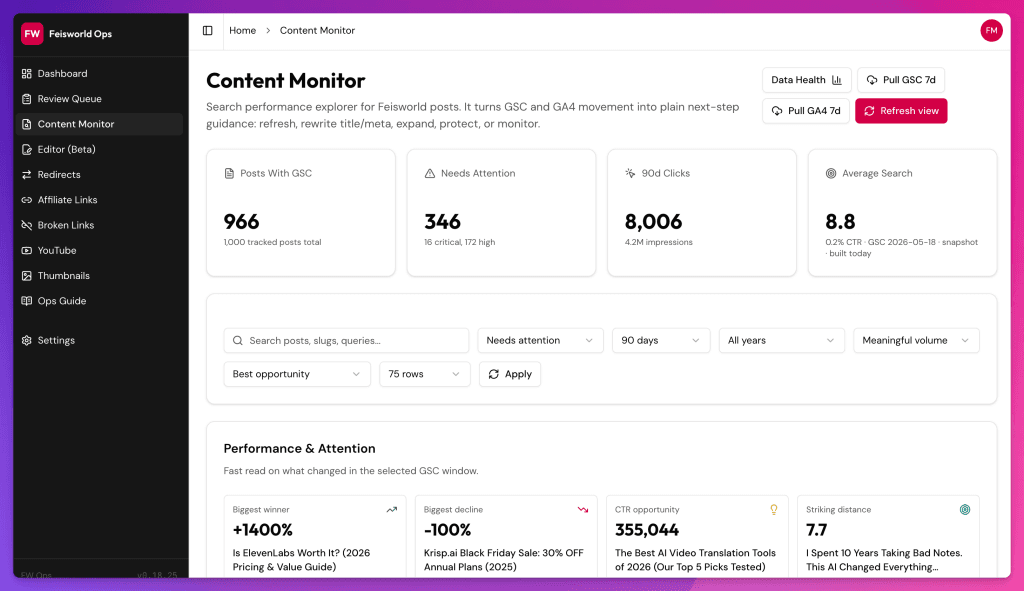
The Feisworld content monitor is not one magic score.
It is a compact way to put several signals next to a post so we can make a better call. In Ops, the content monitor work is designed around current and previous GSC clicks, impressions, click-through rate, and position. It can include GA4 pageviews, users, and engagement signals. It can store Ahrefs-related backlink and traffic context. It can connect YouTube and content data where the relationship is relevant. It can include WordPress dates, post type, content intent, priority, attention score, diagnosis, next actions, and top queries.
That sounds technical, but the editorial questions are human:
- Is this post stale or simply old?
- Is this page declining in a way that matters?
- Is the video stronger than the article?
- Is the article still the best place to explain the topic?
- Should the podcast episode be easier to find from the post?
- Should the YouTube description link back to the current guide?
- Is this an evergreen piece worth refreshing?
- Is this a historical piece we should preserve without pretending it is current?
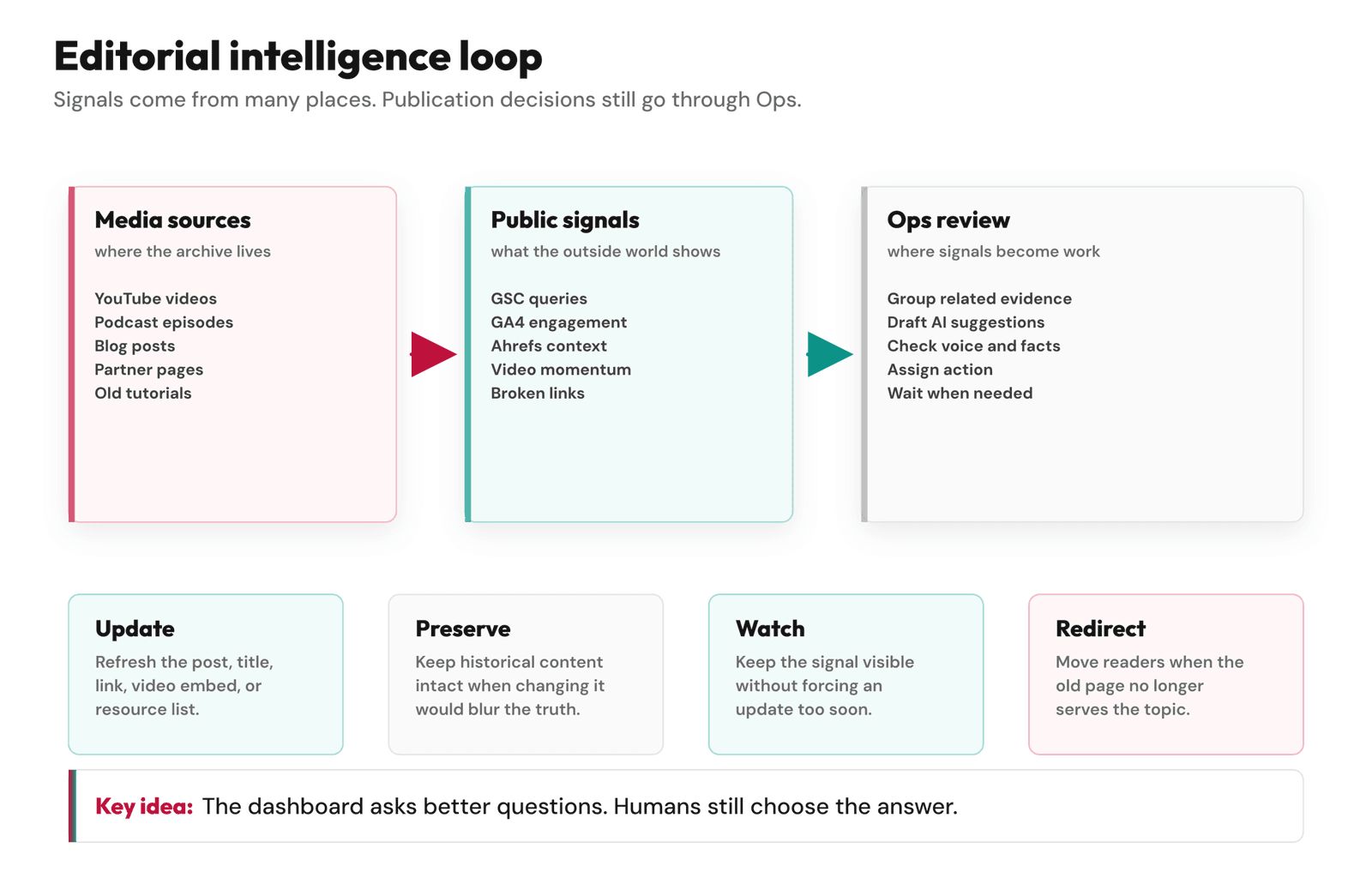
That is the workflow. Signals come in. Ops groups them. We decide what the content deserves.
What the APIs Actually Help With
I do not want to make the APIs sound mysterious.
The YouTube Data API lets developers work with YouTube resources like channels, playlists, videos, captions, comments, and search, with OAuth and quota limits. The YouTube Analytics API can retrieve analytics data so you can build custom reports and dashboards.
The Google Search Console Search Analytics API can query search traffic by dimensions like page, query, country, device, date range, and search appearance. The GA4 Data API can generate reports programmatically for website and app metrics.
Those APIs are not the story by themselves.
The story is what they let us stop doing manually.
We do not need to open every platform and make a spreadsheet from memory each time we review a post. We can pull the relevant public and private signals into Ops, then use them to brief the editorial decision. That gives us a better starting point.
AI can help summarize the evidence, propose a title, notice a stale phrase, or draft a possible YouTube description. That is useful, but it still has to pass through us.
How YouTube Became More Than a Channel
For Feisworld, YouTube is not only a place where videos live.
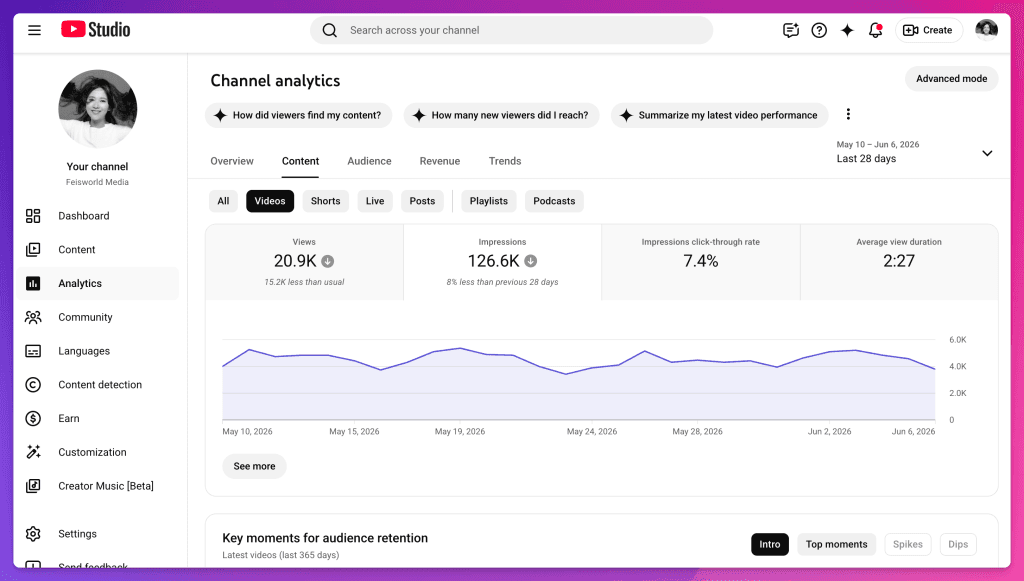
It is a signal layer. It shows which topics people still watch, which titles create attention, which tutorials have durability, which questions keep coming back, and which visual explanations may deserve a stronger home on the site.
Google’s own video SEO guidance says that embedded videos can appear in search through several surfaces, and it is fine to include the same video on a watch page and another page with other information, like an article. Google also recommends unique titles and descriptions for watch pages and supports structured data and video sitemaps where appropriate.
That matters for a site like ours.
A YouTube video may not need to become a blog post. But sometimes it should support one. Sometimes the blog post should become the durable guide and the video should become the human proof. Sometimes a podcast episode carries the story and the article carries the practical summary.
The migration gave us a chance to make those relationships more intentional.
When a video shows momentum, Ops can ask: do we have a current article for this? Is the article internally linked? Does the video description point to the right page? Is there a transcript, summary, or resource list that should be added? Is the old post still accurate?
That is not “turn every YouTube video into a blog post.” That would be lazy.
It is: let each format do the job it is good at.
How YouTube Changed Podcast SEO
One reason this matters more now is YouTube.
YouTube has made this more interesting because podcasts on YouTube are playlists, and podcast episodes are videos in that playlist. YouTube’s help docs say a podcast show on YouTube is a playlist, with episodes represented by videos. That means podcast strategy and YouTube strategy are no longer separate for many creators.
For Feisworld, the podcast is also part of brand memory.
Guests, conversations, and themes often connect to later articles, courses, AI tool guides, and partner stories. If an episode is relevant to a current guide, we want that connection to be easier to find. If a blog post mentions an idea that Fei explored deeply in an interview, the post should not act like the conversation never happened.
This is why older podcast-adjacent posts, like our Listen Notes article, still matter. They are not only app reviews or old resource pages. They show how people try to find conversations, guests, and topics after the original episode has already left the homepage.
That is the SEO opportunity, but it is also a reader-experience opportunity.
People should not need to understand our archive to benefit from it.
The YouTube Ops Pilot
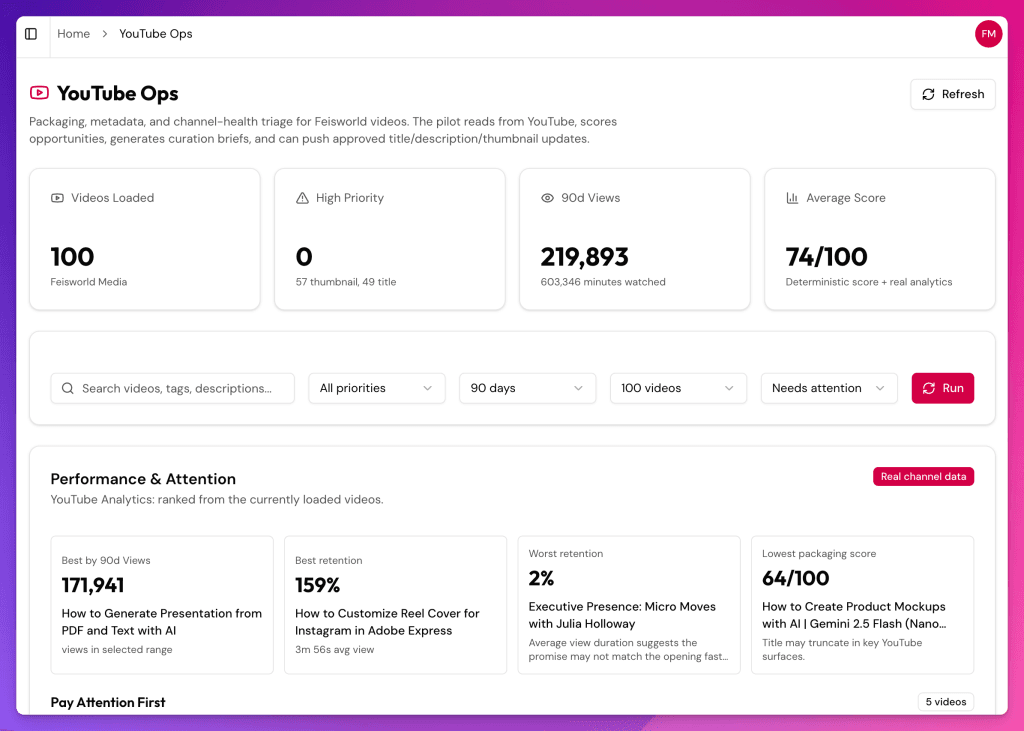
Inside Feisworld Ops, we also built a YouTube pilot.
The practical version is this: pull channel uploads, pull recent video analytics when the account has access, try to use captions where available, score videos for editorial readiness, and generate curation briefs that a human can review. Metadata changes are dry-run by default. Public descriptions need extra care because a generic YouTube description can make a good video sound like it belongs to nobody.
This part of the workflow is useful, but it is also where I am most cautious.
AI is very good at making a description sound acceptable. Acceptable is not enough. Feisworld descriptions should sound like they come from a real person with a real point of view. They should not flatten Fei’s voice into “In this episode, we discuss…” unless that is genuinely the right sentence.
So the YouTube Ops pilot is not an autopilot.
It is a briefing system. It can help us see which videos need attention, what the current metadata says, what the data suggests, and what a possible update could look like. Then we decide.
What we refuse to automate is the public voice. No silent description updates. No AI-written claims about a guest, product, or partner going live without review. No making Fei sound like a channel manager who has never met her own audience.
Where AI Helps, and Where It Gets Weird
AI is useful when it does the boring comparison work.
Read this post. Look at these queries. Compare the current title to the video title. Find broken or stale references. Suggest internal links. Summarize the YouTube description. Draft three possible next actions. Tell me why this post might be declining. Give me the caveats.
That is useful. It gets weird when it starts smoothing everything into the same shape.
A podcast page should not sound like a generic SaaS blog. A historical interview should not be rewritten like a current product review. A video description should not pretend Fei said something she did not say. A stale page should not always be “optimized” into the newest keyword because sometimes the honest decision is to preserve it, redirect it, or let it rest.
The guardrail is practical: if the change touches public voice, a recommendation, a redirect, or the historical meaning of a page, it needs review. I do not want Feisworld’s archive to become more optimized and less true at the same time.
The Mistake I Would Avoid
The mistake is over-responding to data.
When you connect YouTube, GSC, GA4, Ahrefs, and content data, you can make everything look urgent. A query moved. A page dipped. A video spiked. A post has impressions but no clicks. A podcast page is underlinked. Suddenly the dashboard starts behaving like a very confident intern with too many sticky notes.
I have to remind myself: the dashboard is allowed to be noisy. I am not allowed to confuse noise with duty. That is when you need restraint.
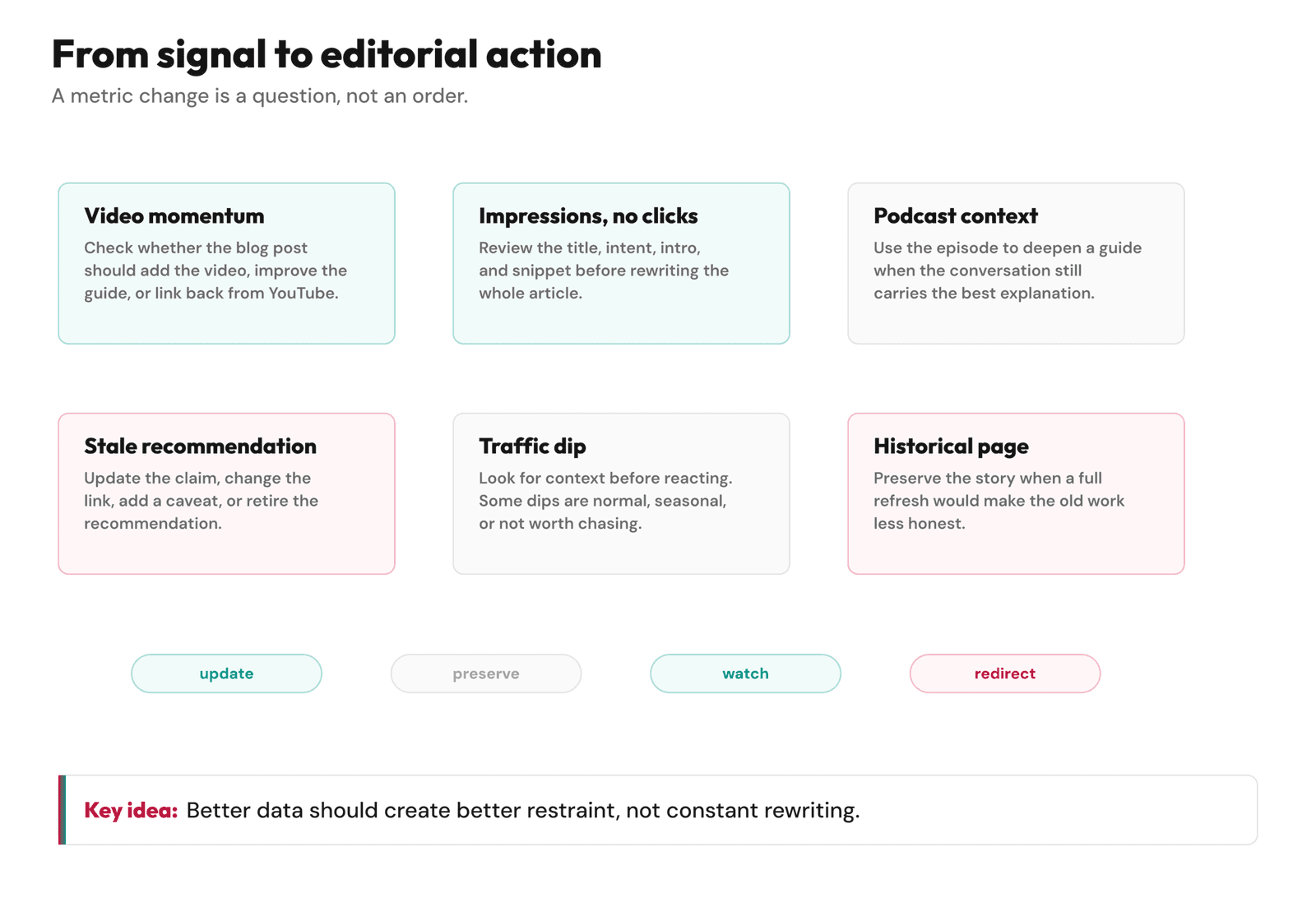
Not every decline needs action. Not every video needs a blog post. Not every podcast needs a giant transcript page. Not every old article deserves a refresh. Some content has served its purpose. Some should remain historical. Some should become a redirect. Some should be left alone because touching it would make it worse.
The workflow should reduce anxiety, not create more of it.
For us, the most useful labels are not dramatic. Stale. Trending. Evergreen. Review. Leave alone. Update lightly. Rewrite carefully. Redirect. Watch.
Those are human-size decisions!
A Smaller Workflow You Can Use
You do not need our full Ops setup to start connecting the dots. Pick one topic cluster. Maybe it is a tutorial, an interview series, a course topic, or a guide that has videos and blog posts around it.
Then make a simple review sheet:
- Main blog post URL.
- Related YouTube video or playlist.
- Related podcast episode.
- Top Google Search Console queries.
- Recent pageviews or engagement.
- Video views and watch-time direction.
- Current internal links.
- Last reviewed date.
- Recommended action.
Then force yourself to choose one action.
Update the article. Add the video. Link to the podcast. Refresh the YouTube description. Improve the title. Add a resource list. Leave it alone. Redirect it. Preserve it as history.
The discipline is choosing. A connected workflow is only useful if it helps you decide what not to touch.
What This Means for Brand Building
We have been updating How to Build a Brand in 2026 around a simple idea: a brand is not only what you publish today. It is the system that keeps your work understandable over time.
This YouTube and podcast workflow fits that idea.
A creator brand is often built across formats. A person finds you through a short clip, a video, a podcast episode, a blog post, a search result, an AI answer, or a recommendation from a friend. They do not care which platform came first. They care whether the work feels coherent when they arrive.
That is why we care about these connections. Better SEO is part of it. Better AI visibility is part of it. But the deeper goal is continuity. Feisworld should feel like one body of work, not a set of disconnected platform archives.
FAQ
Does YouTube help blog SEO?
It can, but not in a magical way. A strong YouTube video can make a blog post more useful, support a topic, improve reader experience, and help Google understand video content when the page follows video SEO best practices. The important part is whether the video belongs on the page and supports the reader’s intent.
What is podcast SEO?
Podcast SEO is the work of making podcast episodes easier to discover, understand, and connect to related content. For Feisworld, that can mean better episode titles, clearer show notes, selected transcripts, YouTube podcast playlists, internal links from blog posts, and updates to older resource pages when a conversation is still useful years later.
Should I turn every YouTube video into a blog post?
No. Some videos deserve a full article. Some only need a short resource page. Some should support an existing guide. Some should stay as videos. The right question is not “Can this become a post?” It is “What format best helps the audience understand this topic?”
What can the YouTube Data API help with?
The YouTube Data API can help developers work with YouTube resources like channels, playlists, videos, captions, and search. In an editorial workflow, it can help pull video data into a dashboard so the team can review content without manually copying everything from YouTube Studio.
What can the YouTube Analytics API help with?
The YouTube Analytics API can retrieve analytics data for reports and dashboards when the account has the right access. For a creator business, it can help identify which videos have momentum, which need review, and which may connect to blog or podcast updates.
What should AI not decide?
AI should not decide what Feisworld believes, recommends, publishes, redirects, or retires. It can help summarize evidence, detect gaps, and draft options. The final editorial decision should stay human.
You might also enjoy…
- SEO Content Audit With AI: How We Refreshed 15 Years of Old Blog Posts
- Affiliate Link Management at Scale: Why We Built Our Own System
- New YouTube Research Tab: How to Use Search Insights to Fill Content Gaps
- AI Tools for YouTube
- Listen Notes
- Best Podcasts on YouTube Music for Creators
- How to Add a Podcast to YouTube Music
- Listen to the Feisworld Podcast
- How to Build a Brand in 2026
- Work With Feisworld Media

Written by
Germán CeballosGermán Ceballos has worked with Feisworld Media since 2016 and serves as Editorial Director. He co-created and edited the documentary Feisworld: Live Your Art, has overseen the editorial direction of the podcast across 300+ episodes, and shapes Feisworld's coverage of AI tools, creator workflows, video production, and content strategy.
View all posts by Germán Ceballos→Stay updated
Weekly insights on content, AI, and digital media.
Keep Reading